Snake Game Core Components
Introducing the foundational components for our game and setting up the project
In this series, we'll build a fully functional Snake game from scratch, combining all the concepts we've covered so far.
As with our previous project, we'll separate our code into two main parts:
- An "Engine" module containing components that are generally useful across a wide range of projects, not specific to Snake.
- A Snake-specific module that builds upon our engine to create the actual game.
For example, we'll create a general Button class in our engine that can be used across various projects. The cells of our Snake grid will then inherit from this Button class, expanding it with Snake-specific logic.
The Globals.h File
Similar to our previous project, we'll create a header file to store configuration options for our game. This will include things like sizes, positions, colors, and the fonts and images we want to use.
We'll also include a helper function that checks and logs out if there are any SDL errors, as well as a CHECK_ERRORS preprocessor definition which we can turn off to disable this behavior.
src/Globals.h
#pragma once
#define CHECK_ERRORS
#include <iostream>
#include <SDL3/SDL.h>
#include <string>
namespace Config {
// Game Settings
inline const std::string GAME_NAME{"Snake"};
inline constexpr int WINDOW_HEIGHT{400};
inline constexpr int WINDOW_WIDTH{800};
// Colors
inline constexpr SDL_Color BACKGROUND_COLOR{
85, 138, 52, 255};
inline constexpr SDL_Color FONT_COLOR{
255, 255, 255, 255};
// Asset Paths
inline const std::string BASE_PATH{
SDL_GetBasePath()};
inline const std::string APPLE_IMAGE{
BASE_PATH + "apple.png"};
inline const std::string FONT{
BASE_PATH + "Rubik-SemiBold.ttf"};
}
inline void CheckSDLError(const std::string& Msg) {
#ifdef CHECK_ERRORS
const char* error = SDL_GetError();
if (*error != '\0') {
std::cerr << Msg << " Error: "
<< error << '\n';
SDL_ClearError();
}
#endif
}The Engine/Window.h File
Within the Engine directory, we'll include some generic helpers that our game can use. First, we'll have a Window class which we'll use to create and manage our SDL_Window:
src/Engine/Window.h
#pragma once
#include <SDL3/SDL.h>
#include "Globals.h"
namespace Engine {
class Window {
public:
Window() {
SDLWindow = SDL_CreateWindow(
Config::GAME_NAME.c_str(),
Config::WINDOW_WIDTH,
Config::WINDOW_HEIGHT,
0
);
CheckSDLError("Creating Window");
}
~Window() {
if (SDLWindow && SDL_WasInit(SDL_INIT_VIDEO)) {
SDL_DestroyWindow(SDLWindow);
}
}
Window(const Window&) = delete;
Window& operator=(const Window&) = delete;
void Render() {
const auto* Fmt = SDL_GetPixelFormatDetails(
GetSurface()->format);
SDL_FillSurfaceRect(
GetSurface(), nullptr,
SDL_MapRGB(
Fmt, nullptr,
Config::BACKGROUND_COLOR.r,
Config::BACKGROUND_COLOR.g,
Config::BACKGROUND_COLOR.b)
);
}
void Update() {
SDL_UpdateWindowSurface(SDLWindow);
}
SDL_Surface* GetSurface() {
return SDL_GetWindowSurface(SDLWindow);
}
private:
SDL_Window* SDLWindow{nullptr};
};
}This Window class is similar to what we created in our earlier lesson on .
The Engine/Random.h File
Our game needs the ability to place apples in random cells. To support this, we'll include a Random namespace which includes the ability to generate random integers within a range defined by Min and Max arguments:
src/Engine/Random.h
#pragma once
#include <random>
namespace Engine::Random {
inline std::random_device SEEDER;
inline std::mt19937 ENGINE{SEEDER()};
inline int Int(int Min, int Max) {
std::uniform_int_distribution Get{Min, Max};
return Get(ENGINE);
}
}This file uses techniques we covered in our introductory lesson on .
The Engine/Text.h File
We'll include a Text class that uses SDL3_ttf to load a font and render text onto an SDL_Surface:
src/Engine/Text.h
#pragma once
#include <SDL3/SDL.h>
#include <SDL3_ttf/SDL_ttf.h>
#include <string>
#include "Globals.h"
namespace Engine {
class Text {
public:
Text(const std::string& InitialText, int FontSize)
: Content(InitialText),
Font(nullptr),
TextSurface(nullptr)
{
Font = TTF_OpenFont(
Config::FONT.c_str(), (float)FontSize
);
CheckSDLError("Opening Font");
SetText(InitialText);
}
~Text() {
if (TextSurface) {
SDL_DestroySurface(TextSurface);
}
if (TTF_WasInit() && Font) {
TTF_CloseFont(Font);
}
}
Text(const Text&) = delete;
Text& operator=(const Text&) = delete;
void SetText(const std::string& NewText) {
Content = NewText;
if (TextSurface) {
SDL_DestroySurface(TextSurface);
}
TextSurface = TTF_RenderText_Blended(
Font, Content.c_str(), 0, Config::FONT_COLOR
);
CheckSDLError("Creating Text Surface");
}
void Render(SDL_Surface* Surface, SDL_Rect* Rect) {
if (TextSurface) {
SDL_BlitSurface(
TextSurface, nullptr, Surface, Rect
);
}
}
private:
std::string Content;
TTF_Font* Font{nullptr};
SDL_Surface* TextSurface{nullptr};
};
}This Text class uses the techniques we covered in our introduction to .
The Engine/Image.h File
The last file in our Engine directory contains an Image class that uses SDL3_image to render an image onto an SDL_Surface:
src/Engine/Image.h
#pragma once
#include <SDL3/SDL.h>
#include <SDL3_image/SDL_image.h>
#include <string>
#include "Globals.h"
namespace Engine {
class Image {
public:
Image(const std::string& Path) {
ImageSurface = IMG_Load(Path.c_str());
CheckSDLError("Loading Image");
}
~Image() {
if (ImageSurface) {
SDL_DestroySurface(ImageSurface);
}
}
void Render(SDL_Surface* Surface, SDL_Rect* Rect) {
SDL_BlitSurfaceScaled(
ImageSurface, nullptr,
Surface, Rect,
SDL_SCALEMODE_LINEAR
);
}
// Prevent copying
Image(const Image&) = delete;
Image& operator=(const Image&) = delete;
private:
SDL_Surface* ImageSurface{nullptr};
};
}This Image class uses the techniques we covered in our introduction to images, surface blitting, and .
The Assets.h File
We'll create an asset manager class to make our shared assets available to any component that needs them. In this project, we'll only need to share our apple image, but we'll create an Assets class to take care of this and give us an easy way to expand our asset collection as needed:
src/Assets.h
#pragma once
#include "Globals.h"
#include "Engine/Image.h"
struct Assets {
Engine::Image Apple{Config::APPLE_IMAGE};
};The SnakeUI.h File
To manage our UI elements, we'll create a SnakeUI class. It includes our standard set of game loop methods, HandleEvent(), Tick() and Render().
It will forward these calls to the UI elements it manages, once we create them.
src/SnakeUI.h
#pragma once
#include <SDL3/SDL.h>
#include "Assets.h"
class SnakeUI {
public:
void HandleEvent(const SDL_Event& E) {}
void Tick(Uint64 DeltaTime) {}
void Render(SDL_Surface* Surface) {}
private:
Assets AssetList;
};The main.cpp File
Let's hook everything up in our main() function. It implements the standard game loop and event loop setup we've used throughout the course. We'll forward events, tick, and render our Window and SnakeUI as appropriate.
We'll also calculate the time delta between frames to help our Tick() functions. We'll provide these time deltas in milliseconds:
src/main.cpp
#include <SDL3/SDL.h>
#include <SDL3/SDL_main.h>
#include <SDL3_image/SDL_image.h>
#include <SDL3_ttf/SDL_ttf.h>
#include "Globals.h"
#include "Engine/Window.h"
#include "SnakeUI.h"
int main(int, char**) {
SDL_Init(SDL_INIT_VIDEO);
CheckSDLError("Initializing SDL");
TTF_Init();
CheckSDLError("Initializing SDL_ttf");
Engine::Window GameWindow{};
SnakeUI UI{};
Uint64 PreviousTick{SDL_GetTicks()};
Uint64 CurrentTick;
Uint64 DeltaTime;
SDL_Event Event;
bool IsRunning = true;
while (IsRunning) {
CurrentTick = SDL_GetTicks();
DeltaTime = CurrentTick - PreviousTick;
// Events
while (SDL_PollEvent(&Event)) {
UI.HandleEvent(Event);
if (Event.type == SDL_EVENT_QUIT) {
IsRunning = false;
}
}
// Tick
UI.Tick(DeltaTime);
// Render
GameWindow.Render();
UI.Render(GameWindow.GetSurface());
// Swap
GameWindow.Update();
PreviousTick = CurrentTick;
}
TTF_Quit();
SDL_Quit();
return 0;
}Assets and Dependencies
This project requires a font to render text, and an image to represent the apples that our snake eats. Our implementation assumes that the apple image is an approximately square .png file with a transparent background. The screenshot and code examples in this chapter are using the following assets:
Rubik-SemiBold.tfffrom Google Fontsapple.pngby AomAm on IconFinder
As before, we'll store our font and image in the same directory as our program executable to ensure SDL_ttf and SDL_image can find them at run time.
The CMakeLists.txt File
Those using the CMake build automation tool may find the following CMakeLists.txt file helpful. It assumes we're building the SDL libraries (SDL3, SDL3_image, and SDL3_ttf) from a subdirectory called /vendor, consistent with our earlier setup lessons:
CMakeLists.txt
cmake_minimum_required(VERSION 3.23)
project(
Minesweeper
VERSION 1.0
DESCRIPTION "Snake"
LANGUAGES CXX
)
set(CMAKE_CXX_STANDARD 20)
set(CMAKE_CXX_STANDARD_REQUIRED ON)
set(
CMAKE_RUNTIME_OUTPUT_DIRECTORY
"${CMAKE_BINARY_DIR}/$<CONFIGURATION>"
)
set(
CMAKE_LIBRARY_OUTPUT_DIRECTORY
"${CMAKE_BINARY_DIR}/$<CONFIGURATION>"
)
add_executable(Snake
src/main.cpp
# This will be added later
# src/Snake/Cell.cpp
)
target_include_directories(Snake
PRIVATE ${PROJECT_SOURCE_DIR}/src
)
if(APPLE)
set_target_properties(Snake PROPERTIES
INSTALL_RPATH "@executable_path;@loader_path"
BUILD_WITH_INSTALL_RPATH TRUE
MACOSX_RPATH TRUE
)
elseif(UNIX)
set_target_properties(Snake PROPERTIES
INSTALL_RPATH "$ORIGIN"
BUILD_WITH_INSTALL_RPATH TRUE
)
endif()
set(SDLTTF_VENDORED ON)
set(VENDOR_DIR "${PROJECT_SOURCE_DIR}/vendor")
add_subdirectory(${VENDOR_DIR}/SDL)
add_subdirectory(${VENDOR_DIR}/SDL_image)
add_subdirectory(${VENDOR_DIR}/SDL_ttf)
target_link_libraries(Snake
SDL3::SDL3
SDL3_image::SDL3_image
SDL3_ttf::SDL3_ttf
)We covered this approach to setting up an SDL project in a dedicated chapter .
Running the Project
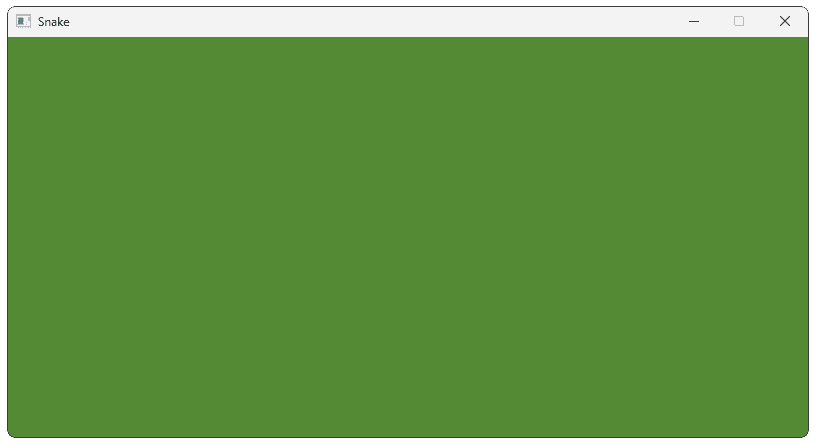
Our project should compile and run successfully. We should see a window with the title, width, height, and background color we defined in Globals.h:
Summary
This lesson covered the essential building blocks of our Snake game, implementing the core game loop and supporting features. Key components:
- The
Globals.hheader file stores configuration variables that will control our game's logic and presentation. - The
Engine::Windowclass is responsible for managing our window, including the underlyingSDL_Windowpointer. - The
Engine::Randomnamespace allows us to generate random integers, which we'll need to dynamically position the apples our snake needs to eat. - The
Engine::TextandEngine::Imageclasses manage the rendering of fonts and image files, providing the content in the form of anSDL_Surface. - The
Assetsclass manages our image assets, allowing them to be shared across multiple components later in our game. - The
SnakeUIclass is where we will construct and orchestrate all of our UI elements as we build them in future lessons. - The
mainfunction inmain.cpppulls everything together by initializing the core components and implementing a standard application loop to manage our systems.
Building the Snake Grid
Build the foundational grid structure that will power our Snake game's movement and collision systems.